Understanding your customers and visitors using analytics
(By the way, to get articles like this free in your inbox, subscribe to our newsletter.)
Techniques 1–6 of “Tools for UX and CRO”
This is one of a series of articles. In the first part of the series, we explain why these techniques are the most reliable way to grow hugely any business. The first part also contains an infographic that summarizes the whole series.
(None of the links on our website are affiliate links. We’re vendor neutral, and we don’t profit from recommending technology.)
Technique 1: Using web analytics (to track where your visitors came from, and which links they clicked on)
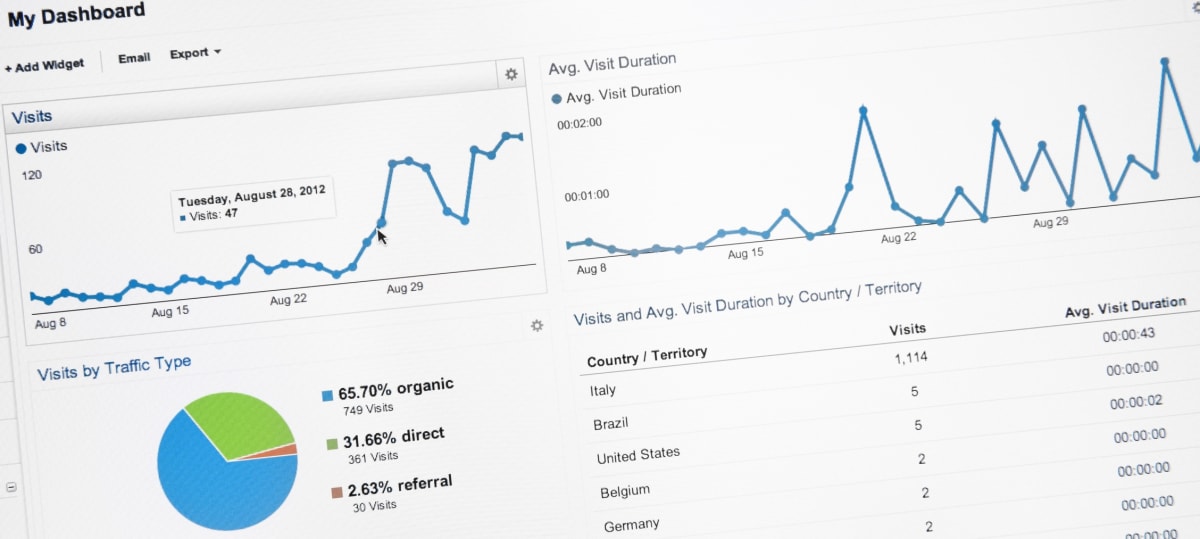
Web analytics software gives you details about the visitors to your website—where they came from, and which links they clicked on once they arrived.
It’s essential for conversion rate optimization (CRO), but it tells only a small part of the story. It’s like the closed-circuit TV cameras in a supermarket. They give an aerial view of where visitors entered the store, but they don’t reveal why the visitors came. They show the path that visitors took through the store, but they don’t reveal what the visitors were thinking. They show you exactly where and when the visitors left the store, but not why. Or what to do about it. For that, you’ll need the qualitative tools, which begin with Technique 5.
You’ll find web analytics most useful in the early stages of a project, when you are seeking to identify on which pages to start work. It will also inform the pages on which you should implement the tools described in the rest of this series of articles. If a page gets no visitors, then changing it will have no effect. Nor will changing a page that already has 100% conversion rate. Web analytics software will help you to identify the arteries of the website—the high-traffic flows that lead to successful conversions. Along with other tools, it can also help you to spot the aspects of those flows that are currently underperforming.
Tools for web analytics
Despite being free, Google Analytics is a sophisticated and powerful web analytics suite. It is sufficient for most websites, and most of our clients use it or its enterprise equivalent, Google Analytics 360.
Google Analytics alternatives include Adobe Analytics, Webtrends, Quantcast Measure, Woopra, Piwik and Flurry Analytics specializes in mobile apps.
Kissmetrics and Mixpanel provide additional functionality that can be useful to conversion marketers. Cohort reports, for example, show how groups of visitors behave over a long period. Amplitude helps marketers to understand how users behave within a website or app.
Technique 2: Capturing easy-to-interpret click-maps (to see exactly where visitors clicked—even if it wasn’t on a link)
Whereas web analytics software tells you what links your visitors click on, click-mapping software shows you which parts of your pages your visitors click on. There’s a subtle difference: click-mapping software shows you clicks even if they weren’t on a link. This information is displayed as a “heat map,” like this:
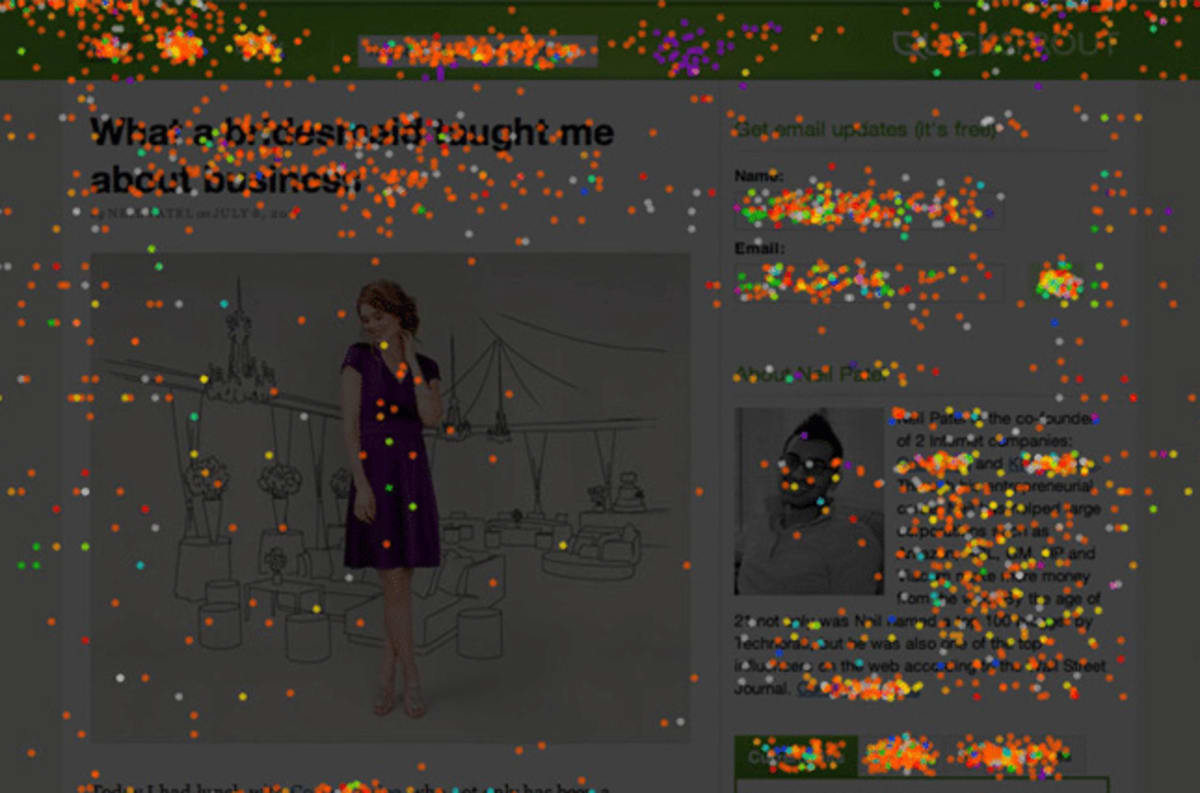
Click-mapping offers several advantages:
- It will reveal things that are getting clicked but are not clickable. You’ll discover that visitors are clicking on parts of the page that aren’t links but perhaps should be. For example, if you discover visitors are clicking on a product photo, you may choose to allow the picture to be magnified, or you may decide readers want to read more information about it. Similarly, they may wrongly believe that a particular graphic is navigation.
- It will also reveal, at a glance, which parts of the page are getting the most attention. This can be particularly useful when you’re showing the data to people who aren’t experienced in web analytics.
- If several of the links on your page lead to the same URL—for example, if there are three links to a particular product page—click-mapping will show you which of the links your visitors clicked on. This is technically possible with analytics, but requires some set-up.
- Have you ever wondered how far visitors scroll down your pages? Many click-mapping tools can give you the answer, in the form of easy-to-interpret scroll-maps. If some of your pages are long, scroll-maps can reveal which parts of the page get the most attention (based on the average viewing time). This can be great for identifying which parts of your page are most important to your visitors. If one of your pages has a “false bottom”—a gap in the design that appears to visitors to be the bottom of the page—then a scroll-map will reveal that visitors aren’t scrolling. (You then need to work out whether that’s because they didn’t realize that the page could be scrolled, or because they weren’t interested enough to scroll.)
We recommend you study click-mapping reports of your most important pages (in terms of revenue and traffic) and of any pages you feel may have usability issues.
Of course, most heatmaps show many things that are predictable, but that’s not why you should use heatmaps. Ignore the predictable heat and look for the anomalies.
Tools for click-mapping
We often use Crazy Egg (mobile-friendly), Hotjar (mobile-friendly), ClickTale (mobile-friendly) and several A/B-testing tools that include similar functionality. Other alternatives include Fullstory, Inspectlet, Decibel Insight (mobile-friendly), Lucky Orange, MouseStats, Ptengine, UsabilityTools, UserTrack, and Zeerat.
Technique 3: Using session-recording tools (to see videos of visitors’ screens and more)
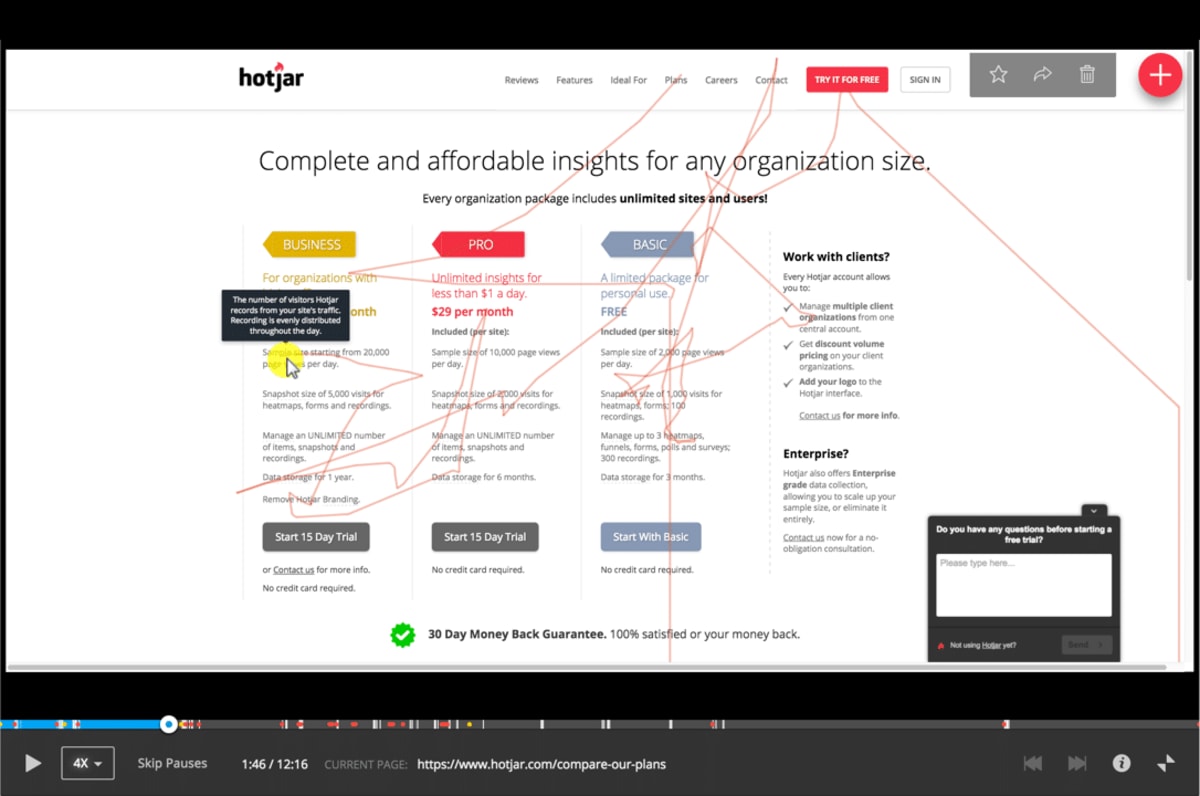
Web analytics software is concerned mostly with the movement of visitors between pages. Session-recording tools can be a great complement, revealing what visitors did on each page, by capturing each visitor’s keystrokes and mouse movement.
Session-recording tools can be useful in the following ways:
- Session replay: Watch movies of your visitors’ screens as they use your website. You can view visitors’ browsing sessions as videos, as if you were looking over their shoulders. You can choose which video to watch based on attributes such as the visitor’s country of origin, how much time they spend on the site, or the number of pages they visited. You may choose to watch videos of visitors who appear to be struggling—for example, those who visit the same page several times.
- Get a feel for how people use websites. Session-recording tools are not a substitute for carrying out user-tests, which are described farther down this page. However, watching a few videos will give you a better idea of how people interact with websites.
- See errors. The software can display a report of errors that users have encountered.
- Analyze funnels. Get to see where your visitors are dropping off. ClickTale, in particular, makes it easy to study funnels for opportunities.
- Scroll maps reveal how far down your page visitors scrolled.
Tools we often use for this
ClickTale (mobile-friendly) pioneered session-recording software. Alternatives include Hotjar (mobile-friendly), Inspectlet, UsabilityTools, SessionCam, FullStory, Decibel Insight (mobile-friendly), and Mouseflow. (Each tool tends to have multiple functions, so our choice of tool often depends on the combination of features and functions that a particular client requires. Also, some of our clients already have a tool installed when we begin the project.)
Some companies—such as those in financial services—are regulated as to how their data must be stored. ClickTale offers an enterprise version for such cases. IBM TeaLeaf is another popular alternative for enterprises. Decibel Insight offers on-premises deployment, so you can store data in your own environment and have complete control.
Technique 4: Using form-analytics software (to identify which of your form fields are causing trouble)
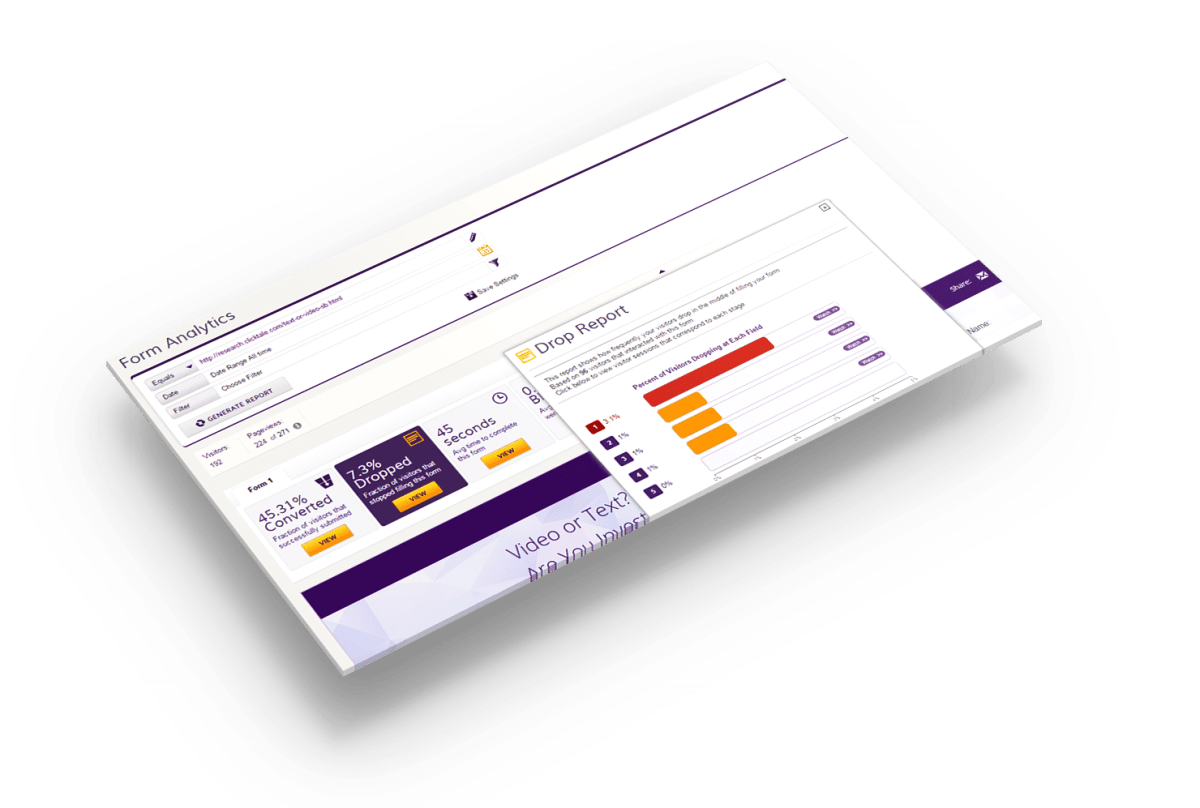
Form-analytics software allows you to study how people are interacting with your forms. The software is extremely important, because visitors who interact with forms are very likely to convert. By finding out why they bail, you can unlock great profits.
The software can report on many issues, including the following:
- The overall success of the form: how many visitors landed on it, and what percentage of them interacted with it, tried to submit it, and successfully submitted it.
- The percentage of visitors who dropped out at each form field. Knowing this information allows you to fix—or remove—the form fields that are causing visitors to lose their patience and abandon your website.
- The amount of time that visitors spend on each field. Even if the visitors don’t abandon at a particular field—maybe it’s early in the form and they are still motivated—it may fatigue them, causing them to abandon later.
- Which fields tend to get left blank. A blank response often indicates that a field is confusing or intimidating. Such fields reduce a visitor’s resolve to complete the form.
- Which fields result in error messages, which the visitors then need to edit before they can resubmit the form.
- Which browsers and devices are performing poorly. Maybe your form is hard to use on small mobile devices.
Tools for this
Options include ClickTale (mobile-friendly), Hotjar (mobile-friendly), Formisimo, Decibel Insight (mobile-friendly), SessionCam and Inspectlet.
Technique 5: Using live chat (to let your visitors tell you what’s wrong with your pages)
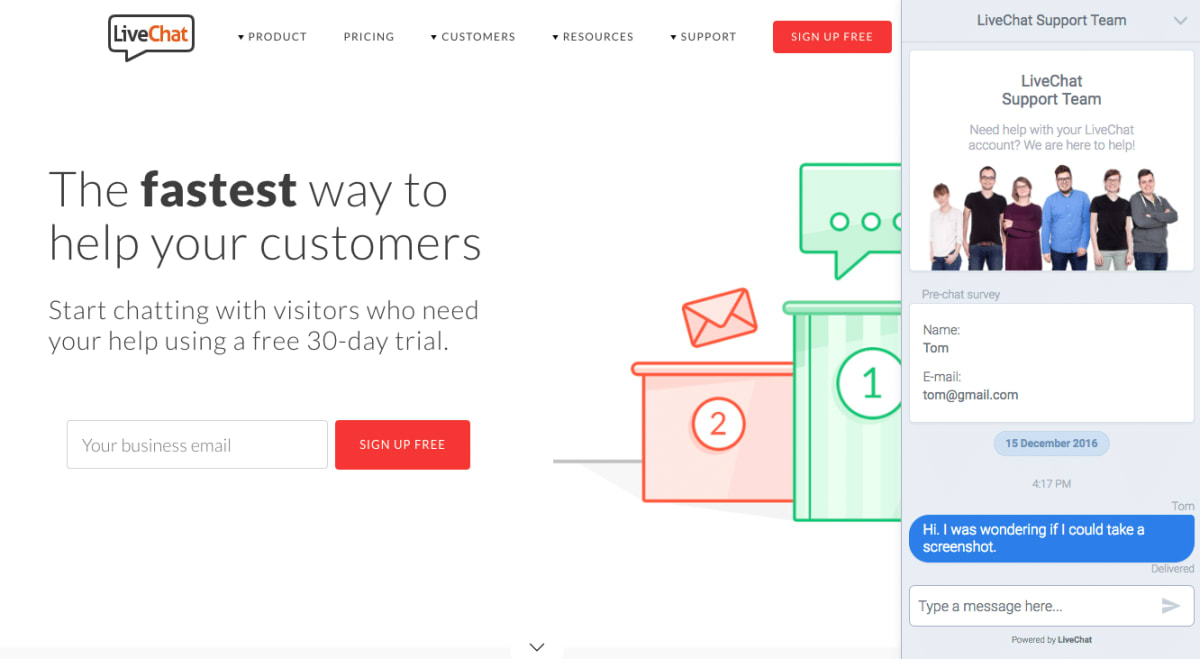
Live chat can allow you to hear from visitors who wouldn’t phone you. Such visitors might prefer live chat for some of the following reasons:
- They are in a public place (or at work) and don’t want to be heard.
- They appreciate that, unlike phone calls, live chat doesn’t cost money.
- They don’t want to be stuck at the end of a phone waiting for someone to answer.
- They feel that a live chat session is less of a commitment than a phone call.
Live chat can reveal the following:
- Which pages are giving people problems.
- Which products people are asking questions about.
- What visitors’ main questions, concerns, and objections are.
- Which of your answers, reassurances, and counter-objections persuade visitors to take further action.
Live chat can have two additional benefits:
- If your customer service team is providing your live chat, you may choose to read through the transcripts of the chats regularly to find insights you can apply to your website.
- If the customer service team uses canned responses, then study them. They can be pure, field-tested copywriting gold—provided they have been refined over time to be the best responses.
- Using live chat may increase your conversion rate, by personally helping the visitors to take action.
Live chat solutions we come across often
ZenDesk Chat, LiveChat, Drift, FreshDesk, Olark, LivePerson, HappyFox, SnapEngage, LiveAgent, Intercom (for web apps), and Comm100. Some of them, like Intercom, allow you to track, help, and convert visitors across multiple browsing sessions.
Technique 6: Using cobrowsing (so your visitors can share their screens with you)
Cobrowsing software allows your visitors to share their screens with a customer support person. Cobrowsing tends to be particularly useful when you struggle to work out what your visitors are seeing—for example, if the visitor is looking at a dynamically generated page, like a page of search results or an interface in a web app.
Solutions for cobrowsing include Pega, Oracle Service Cloud and Surfly.

Read the next article in this series
This article is one of a series that began with an infographic here. The next part is here.
How much did you like this article?
What’s your goal today?
1. Hire us to grow your company
We’ve generated hundreds of millions for our clients, using our unique CRE Methodology™. To discover how we can help grow your business:
- Read our case studies, client success stories, and video testimonials.
- Learn about us, and our unique values, beliefs and quirks.
- Visit our “Services” page to see the process by which we assess whether we’re a good fit for each other.
- Schedule your FREE website strategy session with one of our renowned experts.
Schedule your FREE strategy session
2. Learn how to do conversion
Download a free copy of our Amazon #1 best-selling book, Making Websites Win, recommended by Google, Facebook, Microsoft, Moz, Econsultancy, and many more industry leaders. You’ll also be subscribed to our email newsletter and notified whenever we publish new articles or have something interesting to share.
Browse hundreds of articles, containing an amazing number of useful tools and techniques. Many readers tell us they have doubled their sales by following the advice in these articles.
Download a free copy of our best-selling book
3. Join our team
If you want to join our team—or discover why our team members love working with us—then see our “Careers” page.
4. Contact us
We help businesses worldwide, so get in touch!
© 2026 Conversion Rate Experts Limited. All rights reserved.
A Brandwidth Group Company.