What’s the best software for critiquing webpages?
(By the way, to get articles like this free in your inbox, subscribe to our newsletter.)
(None of the links on this page are affiliate links. We’re vendor neutral, and we don’t profit from recommending technology.)
Do you use collaborative feedback software? This article explains why we believe you’d benefit from trying it. We’ll also tell you everything we know about the available software platforms.
Every week, our consultants meet to discuss the work they’ve created for clients. The process is fascinating. One consultant presents his or her work—a wireframe, a design, or maybe the client’s existing control—and the other consultants suggest how to improve it. This process allows us to draw upon our team’s wide-ranging experience.
We use collaborative feedback software to keep track of the suggestions made. Here’s how it works:
- Consultants upload an image into the software. (It’s all web hosted, so it’s really simple to do.)
- The consultants choose whom they’d like to invite to comment on the image.
- Those invited annotate the image with their suggestions and comments.
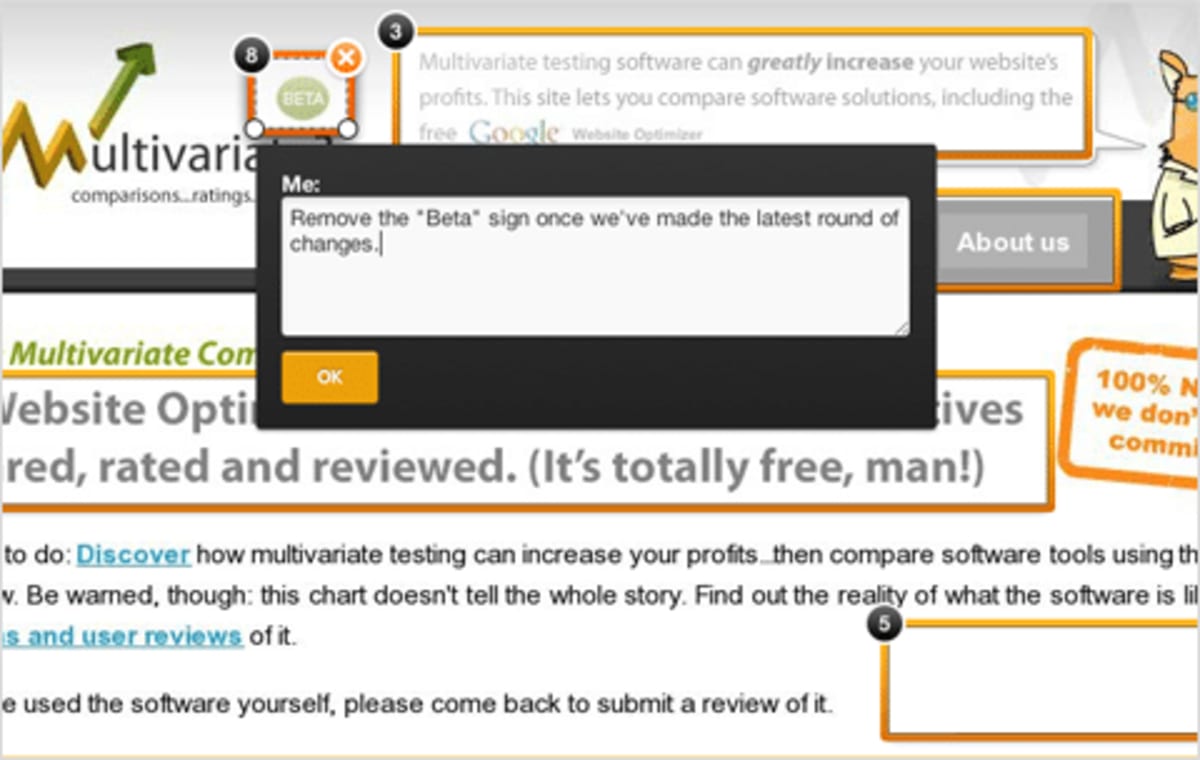
The software allows us to easily collect all of the feedback in one place. We find it to be more effective than verbal feedback because it encourages everyone to leave concrete, specific suggestions.
In the early stages of a design, you may prefer the users to be from within your own team. However, you may also choose to use the software when presenting designs to clients or senior management.
The software we settled on
The service we used for years, Notable, has been discontinued.
Of the alternatives, Miro looks best. We’ll update this page once we have had time to evaluate it.
What we were looking for
What we wanted
- The ability to upload large (and often very long) images. Many of the apps failed to handle the unusually large files that we often create. We tested them using a screen-capture image of a long page (1,905 by 14,704 pixels and 8.5 MB). Some of the software apps made the image blurry, some took ages to load and scroll them, and some of them crashed or stalled.
- The ability to keep everything private within a defined group of people.
- Pleasant to use.
- Works in all major browsers.
- A way to allow all the consultants to view everyone’s feedback, preferably in real time without having to reload a page.
- A way to discuss each comment.
- A way to check off each comment once it has been completed—so it becomes like a task list.
Some nice features that you may want, but we didn’t
- The ability to get feedback from an open community.
- The ability to create defined tests for users (Usabilla and Chalkmark do this—see below for details).
The software we considered
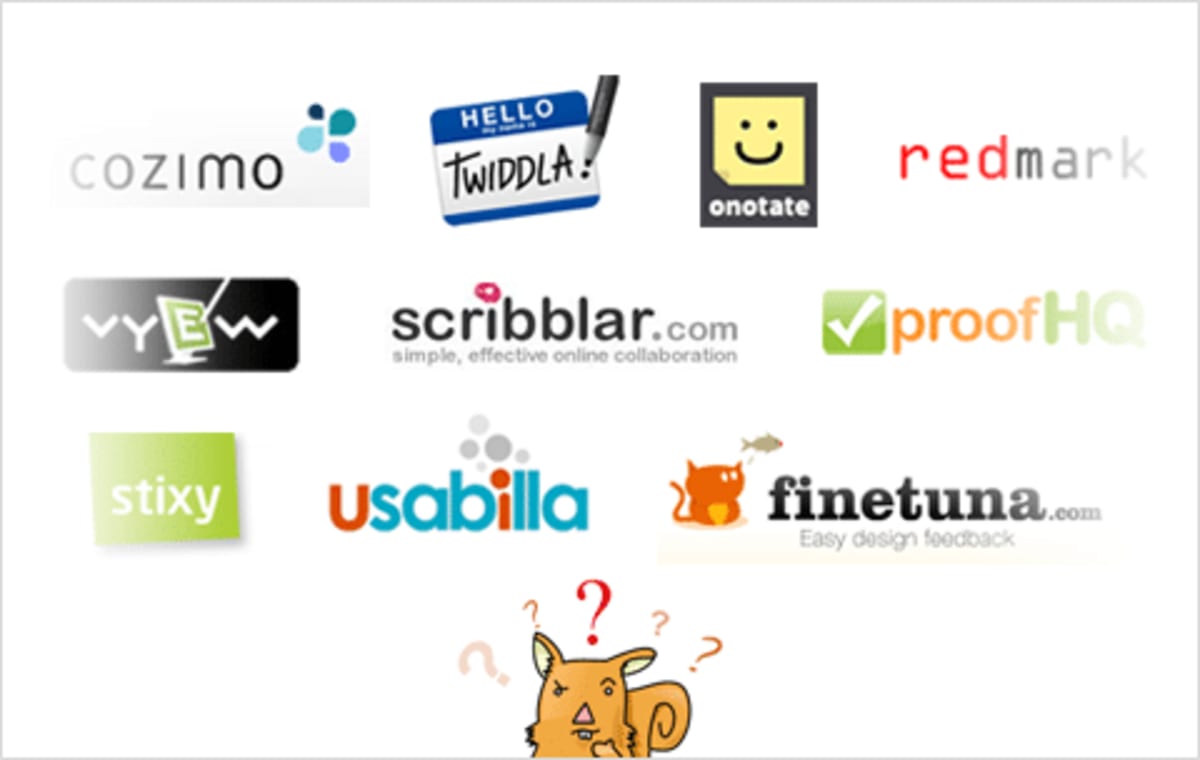
The following list describes the software tools we considered. Scroll down to the next section if you’re interested in seeing only the ones we chose in the end. Also, note that these aren’t supposed to be detailed software reviews—they’re just our initial impressions as to whether each software solution would be suitable for our specific needs.
Chalkmark. Is for moderated tests and does them well. We wondered whether we could use it for our needs, but it allows testers to click only once on the page, and then it moves to the next question.
Cozimo. We managed to upload the image but struggled to display it. At certain zoom levels, parts of the image weren’t displayed.
ProofHQ looked like it would do the job. However, we found the interface to be too complex for our needs (maybe because it has some sophisticated permissions settings and workflow functionality).
BounceApp was created by the same people who created Notable. You might consider it to be “Notable Lite.” With Bounce, everything’s public, which is why it wasn’t suitable for our needs.
Google Drive has limited functionality in this respect. You can add comments to images, and have discussions threads in the comments. However, it doesn’t work well at all on large images—you need to do a lot of fiddly zooming and unzooming.
Miro (formerly RealTimeBoard) looks great.
Twiddla is a real-time virtual whiteboard. You can upload images and watch people adding comments in real time. Unfortunately, it was unable to handle our large image, reducing it to a blurry thumbnail.
Usabilla has some really promising features but failed to upload our large image.
Scribblar is whiteboard software. It failed to upload our image, giving an error message: “Error. Upload failed.”
Would you like to learn more about conversion?
If you’d like to learn more about how to grow your business, you should see this list of useful tools for identifying why your visitors aren’t converting. You should also read the following case studies, which show our process in action:
- How we made an extra £14 million a year for a travel company
- How we made $1 million for SEOmoz—with one landing page and a few emails
- How we doubled the sales of a web app
- How we increased the conversion rate of Voices.com by over 400%
How much did you like this article?
What’s your goal today?
1. Hire us to grow your company
We’ve generated hundreds of millions for our clients, using our unique CRE Methodology™. To discover how we can help grow your business:
- Read our case studies, client success stories, and video testimonials.
- Learn about us, and our unique values, beliefs and quirks.
- Visit our “Services” page to see the process by which we assess whether we’re a good fit for each other.
- Schedule your FREE website strategy session with one of our renowned experts.
Schedule your FREE strategy session
2. Learn how to do conversion
Download a free copy of our Amazon #1 best-selling book, Making Websites Win, recommended by Google, Facebook, Microsoft, Moz, Econsultancy, and many more industry leaders. You’ll also be subscribed to our email newsletter and notified whenever we publish new articles or have something interesting to share.
Browse hundreds of articles, containing an amazing number of useful tools and techniques. Many readers tell us they have doubled their sales by following the advice in these articles.
Download a free copy of our best-selling book
3. Join our team
If you want to join our team—or discover why our team members love working with us—then see our “Careers” page.
4. Contact us
We help businesses worldwide, so get in touch!
© 2026 Conversion Rate Experts Limited. All rights reserved.
A Brandwidth Group Company.